1. IMPORTANT NOTE
When installation of SARIS is completed in standalone and you are ready to start using it, you will be prompted for selecting the Domain, and a username and password as below. Currently, there are the ‘Self-Assessment’ and ‘Reviewers’ variants included. [Note: If you have installed SARIS in a network, you will be prompted only for a user name and password]
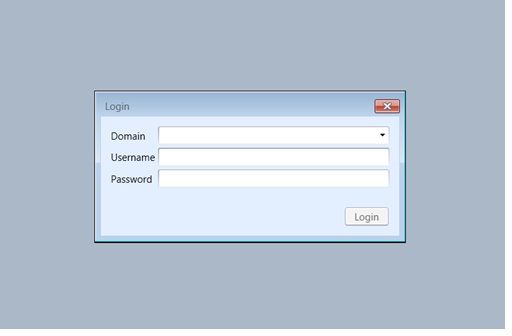
Using the drop-down menu, choose the Variant ‘Self-Assessment’, and after providing the username and password, you will be prompted to select from the different currently available self-assessment variants (i.e. Advisory, IRIS, Operator, and SARIS) (see below). [Note: The ‘Reviewers’ variant is for experts’ use during IRRS missions to consolidate and generate the mission report].The default user name for the administrator is admin and the password is Password (with a capital P). Note that once you are logged in, you can easily change the default password using the ‘Change Password’ button in the Lifecycle Admin tools tab.
|

